Start a Project

TV not picking up channels? How to fix it

Check the cables, rescan, then re-aim your antenna at the transmitter that serves your address.

Six steps, from ruling out the TV to knowing when to call an installer. Step 4 shows how to aim with Tower Aim, our app.

Download on the App StoreGet it on Google Play

No ads, no account.

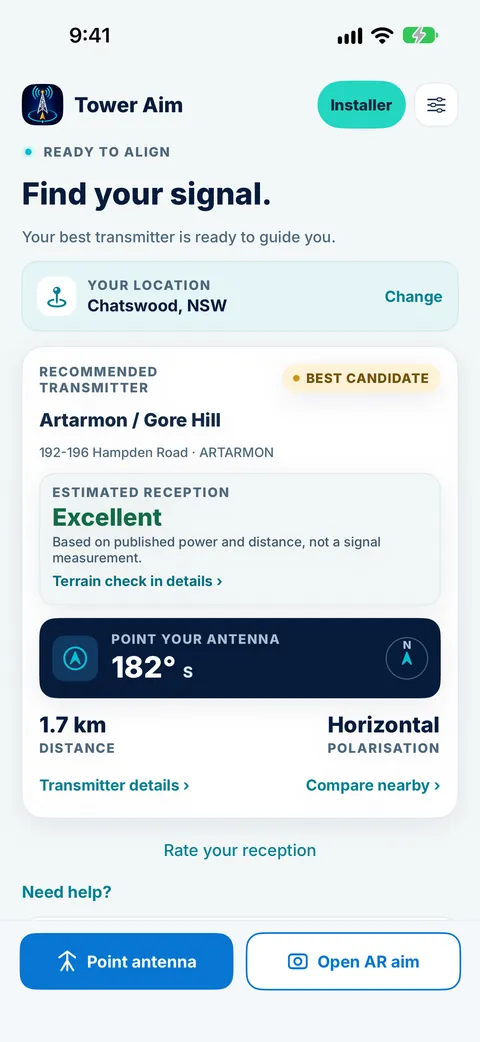
Tower Aim home screen for Chatswood, NSW, showing the recommended Artarmon / Gore Hill transmitter, estimated reception, antenna bearing and polarisation
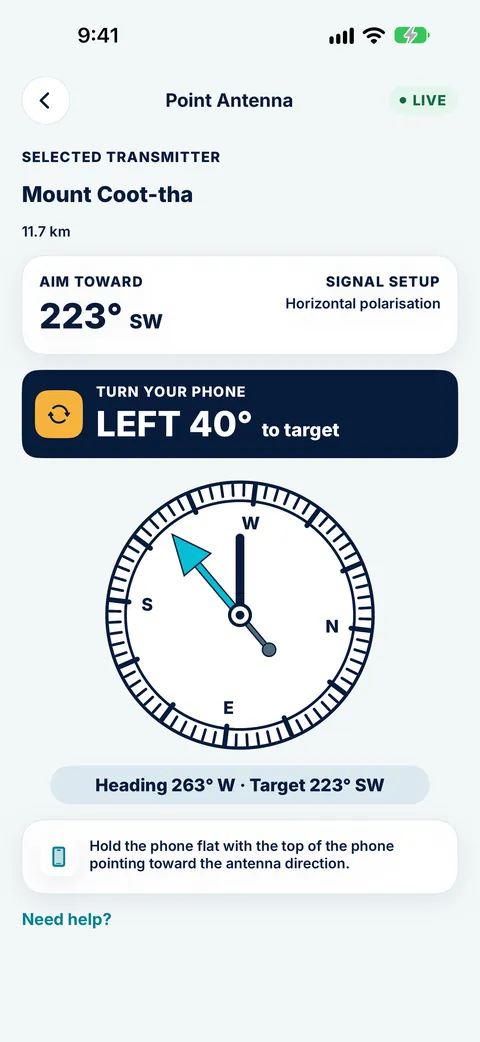
Tower Aim compass telling you to turn the phone 40° left toward the Mount Coot-tha transmitter from Chermside
QUICK ANSWER

The short version.

Read this, then follow the steps below for the detail. Got a different symptom? See our TV reception troubleshooting guide.

THE SHORT ANSWER

Why is my TV not picking up channels?

Most no channels problems come down to four things: a loose or damaged cable, a TV that needs a fresh channel scan, an antenna pointing at the wrong transmitter, or a failed amplifier or splitter. Work through the steps below in order. Many fixes take minutes and need no call-out.

WHO WROTE THIS

Systemic Studios, the makers of Tower Aim

Systemic Studios makes Tower Aim, the app this guide uses for each step. We also point to mySwitch, the Australian Government's coverage website, where it helps. Roof work is dangerous: if your antenna is hard to reach, use a professional antenna installer.

SIX STEPS

How to get your channels back,
step by step.

Work through them in order, starting on the ground.

1. Rule out the TV itself

Check the TV is on the antenna or TV input (not HDMI) and set to the right tuner (DTV or Air, not Cable).

Try a different TV on the same wall socket. If it works there, the problem is your TV's settings, not the antenna.

2. Check every cable and connector

Push the antenna lead firmly into the wall plate and the TV. Look for green corrosion, kinks or chewed cable, especially where it runs outside or through the roof.

Swap the fly lead between the wall and the TV for a known-good one. It's the cheapest fix on this list and it works more often than you'd think.

3. Rescan for channels

Broadcasters sometimes move frequencies. Open your TV's menu, choose Auto-tune (or Channel scan), and let it finish. If the scan finds channels but they break up, keep going to step 4.

4. Point the antenna at the right transmitter

Your antenna needs to face the transmitter that serves your address. That isn't always the nearest tower or the one your neighbour uses. Look up your local transmitter on the government mySwitch site, then open Tower Aim, the TV antenna finder app. It shows the towers around you and the exact bearing to each. Stand next to the antenna and follow the on-screen arrow until it tells you you're locked on. Match the polarisation: elements horizontal or vertical, the same as most antennas on your street. Rescan the TV after every adjustment.

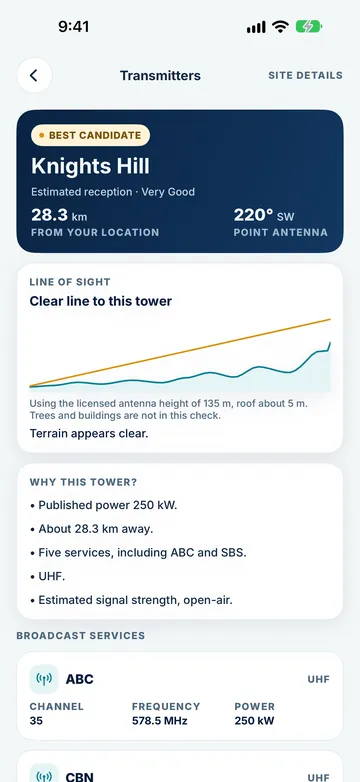
Still fuzzy? If a hill or a block of buildings sits between you and the tower, aim alone won't fix it. Tower Aim's terrain line of sight check shows when the land is in the way, so you can try another transmitter or mount the antenna higher instead of guessing.

5. Check the amplifier and splitter

If you have a masthead amplifier, check its power supply (usually a small box near a TV or in the ceiling) has its light on. Splitters that feed lots of rooms can weaken the signal too. Try connecting one TV directly to see if the picture comes back.

6. Know when to call an installer

If the antenna is damaged, the mast has moved in wind, or the cable inside the walls has failed, a professional installer is the safest fix. Use Tower Aim to show them which transmitter you're aiming at. It saves time on the roof.

Download on the App StoreGet it on Google Play

No ads, no account.

IN THE APP

Step 4
in Tower Aim.

Real Tower Aim screens from the App Store listing.

Find your transmitter

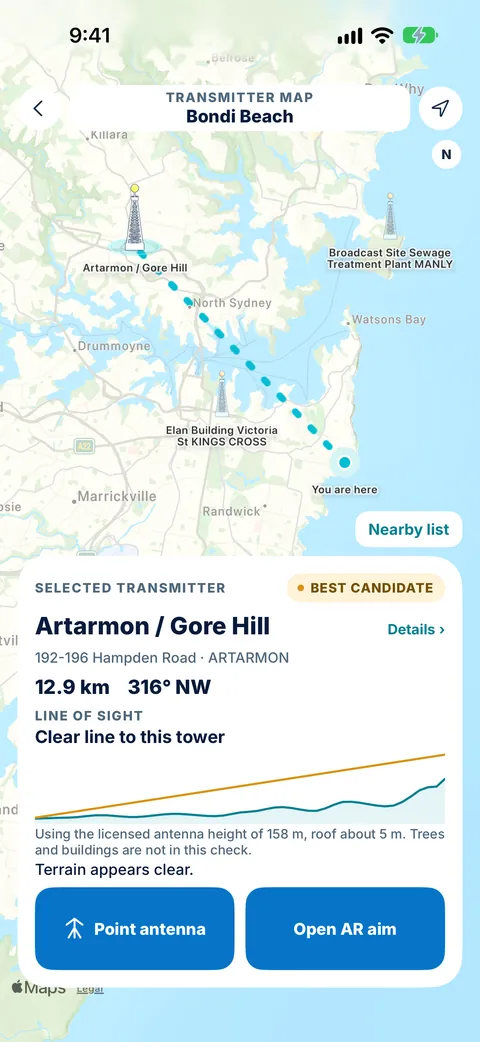
See the towers around you on the map, with the bearing to each.

Check the terrain

See when the land is in the way, using terrain line of sight.

Turn until locked on

Follow the on-screen arrow while you turn the antenna, then rescan the TV.

GET YOUR CHANNELS BACKTOWER AIM FOR HOME ANTENNAS

Get your channels back today.

Tower Aim: TV Antenna Finder · TV Aerial Pointer & Compass

Stop guessing on the roof. Tower Aim tells you which way to point and when you've got it right.

Download on the App StoreGet it on Google Play

No ads, no account.

Every licensed transmitter

ACMA data updated 28 Sep 2026: 2,598 transmitters across 582 sites, with channels, frequencies and power. The recommended transmitter is based on published power and distance, not a signal measurement.

Terrain line of sight

See when a hill is in the way before you climb, with finer terrain in Tower Aim Installer.

Compass and AR

A live compass arrow that confirms when you're aimed in the right direction, plus AR aiming on supported devices. Then rescan your TV.

QUESTIONS

Frequently asked
questions.

More about the app: See everything Tower Aim does.

Why is my TV not picking up channels?

The usual causes are a loose or damaged cable, a TV that needs a fresh channel scan, an antenna aimed at the wrong transmitter, or a failed amplifier or splitter. Check the cables, rescan, then re-aim the antenna at your local transmitter.

Why did my TV suddenly lose channels?

Sudden loss often follows a storm (antenna knocked out of line or water in a connector), a broadcaster frequency change (fixed by a rescan), or a failed amplifier power supply.

Where to point a TV antenna in Australia?

At the transmitter that serves your address. Find it on mySwitch, then use a TV antenna finder app like Tower Aim to get the exact bearing and confirm when you're lined up.

Is there an app for finding antenna signal?

Yes. Tower Aim shows nearby towers, the direction to each, and tells you when you're locked on. It also checks terrain line of sight to explain why a signal might be weak.

Which side of the antenna is the front?

On a typical Yagi antenna, the end with the shortest elements is the front, and it points at the transmitter.

Download on the App StoreGet it on Google Play

No ads, no account.