Start a Project

How to Measure a Room for Carpet or Flooring

Step by step

  1. Sketch the order of rooms. Name each room and doorway so nothing is missed.
  2. Measure length and width at the widest points, wall to wall, into doorways to the centre of the door or the threshold.
  3. Add alcoves, robes and bay windows as separate measurements.
  4. Measure stairs separately: tread depth, riser height and stair width for each step, plus landings.
  5. Note the subfloor and transitions: existing floor, door clearances, thresholds into other floor types.
  6. Note the direction the carpet pile or boards should run, and where joins can go.
  7. Photograph each room from the doorway and mark the long dimension on the photo.
  8. Allow for waste and pattern when you order. Roll widths and waste allowances depend on the product, so follow the supplier's guidance.
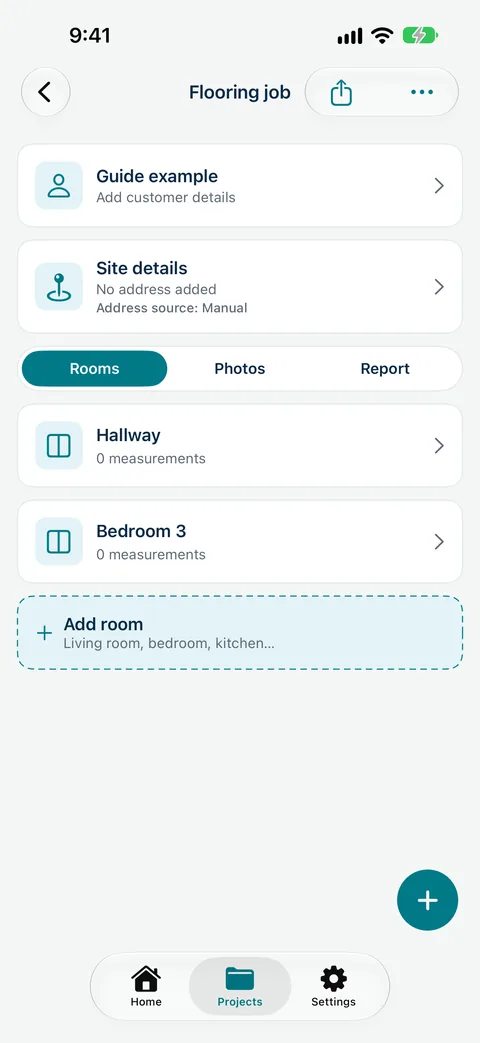
Measure Genie Flooring job on iPhone with Hallway and Bedroom 3 rooms and Rooms, Photos and Report tabs
Flooring job on iPhone

Measuring a room with your iPhone

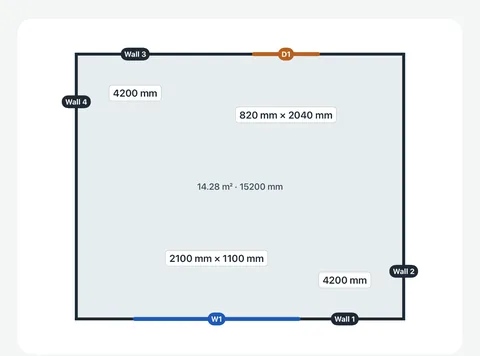
On an iPhone with LiDAR (iPhone 12 Pro and later Pro models), Measure Genie's room scan gives a floor plan with floor area and perimeter. Floor area is shown in square metres; perimeter follows your length unit. Room scan needs an iPhone 12 Pro or later Pro model, or an iPad Pro with LiDAR. Scan sizes are estimates: use them to plan and quote, and confirm the sizes you cut from with a tape. On other phones, type or say each length and width.

Kitchen floor plan from a Measure Genie room scan on iPhone: 14.28 m² floor area and 15200 mm perimeter, with walls, window W1 and door D1
Room scan floor plan on iPhone

Measure every room once, mark up the photos and send the flooring report from site.

Download Measure Genie on the App Store
Google Play

Sample report: a flooring site measurement report

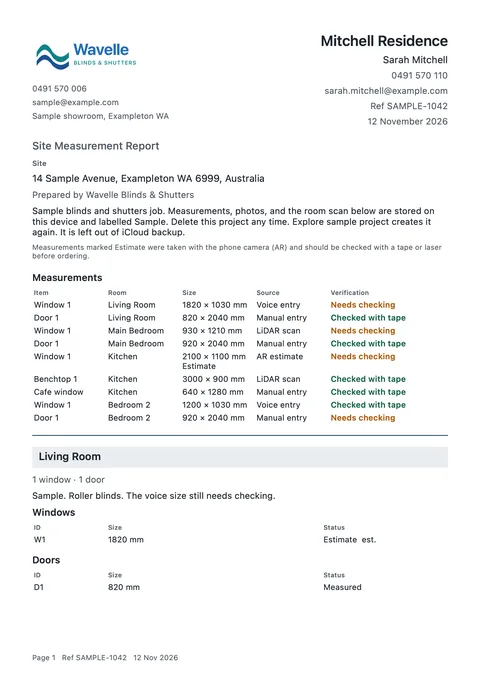
A branded site measurement report from Measure Genie lists every room's sizes in one Measurements table with the item, room, size, source and verification. Photos with dimension lines follow, then notes on subfloor, transitions and pile or board direction. Sizes that haven't been checked carry "est.". In the iPhone report, a room scanned with LiDAR gets a Floor plan heading and image inside its own section. Share it with the customer, your cutter or your supplier as a PDF.

Page 1 of a branded site measurement report PDF for the Mitchell Residence sample by Wavelle Blinds & Shutters: the Measurements table shows Kitchen Window 1 at 2100 x 1100 mm marked Estimate, a Living Room window marked est., and a footer with the page number, Ref and date
Report PDF, page 1: Kitchen Window 1 at 2100 x 1100 mm marked Estimate, an “est.” size and the Page, Ref and date footer

Common mistakes

  • One total area instead of room-by-room sizes.
  • Forgetting doorways, robes and the stairs.
  • Measuring to the skirting in one room and the wall in another.
  • Mixing metres and feet on the same job.
  • Ordering from a scan or AR estimate without a tape check.

Every room, every size, one report

Record lengths and widths by room, add photos and notes, and send a branded flooring measure report before you leave.

Download Measure Genie on the App Store
Google Play

Fitting out a team? Talk to us about setup

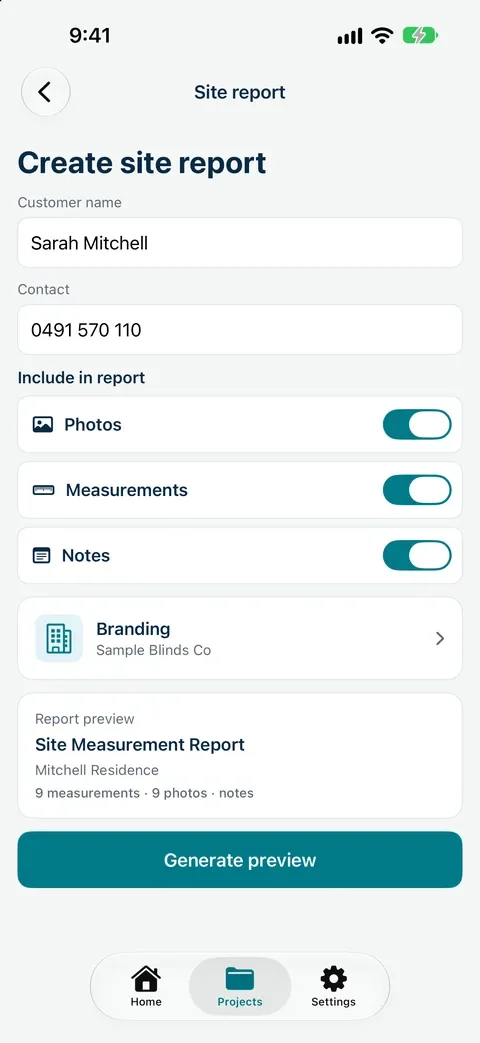
Create site report on iPhone with customer name and contact, Photos, Measurements and Notes switched on, Wavelle Blinds & Shutters branding, a report preview for the Mitchell Residence and the Generate preview button

Frequently asked
questions

How do I measure a room for carpet?

Measure the longest length and widest width wall to wall, including doorways and alcoves, then add a waste allowance when ordering.

Do I measure to the skirting or the wall?

Measure wall to wall at floor level and be consistent across the job. Note it on the report.

How do I measure stairs for carpet?

Measure each tread, riser and the stair width separately, plus landings, and record them as their own items.

Can I measure a room for flooring with my phone?

On an iPhone with LiDAR, a room scan gives a floor plan and floor area estimate. Check final sizes with a tape before cutting.

Should I measure in metres or feet?

Use the unit your supplier quotes in. Measure Genie can be set to millimetres, centimetres, metres, inches or feet and inches. Room scan floor area is always shown in square metres.