Start a Project

How to Measure a Room With Your iPhone

Which iPhone do you need?

TaskNeeds
LiDAR room scaniPhone 12 Pro and later Pro models
AR point-to-point estimateARKit-capable iPhone; LiDAR improves tracking
Voice and typed sizes, photo markupAny supported iPhone
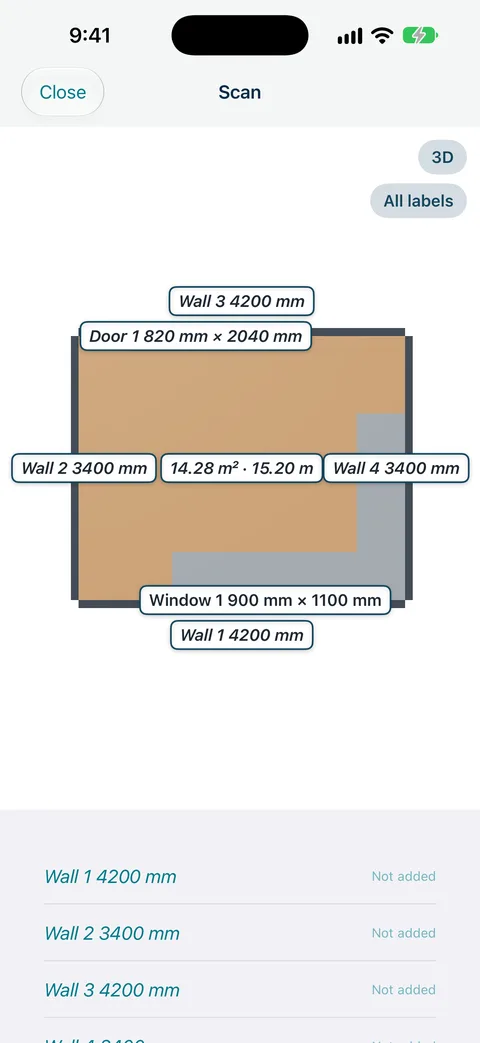
Measure Genie LiDAR room scan floor plan of a kitchen with wall lengths and 14.28 m² floor area

Scan a room in Measure Genie

  1. Open the job and the room (room scan is available in Indoor and Both projects).
  2. Choose Room scan and walk slowly around the room, pointing at walls, windows and doors.
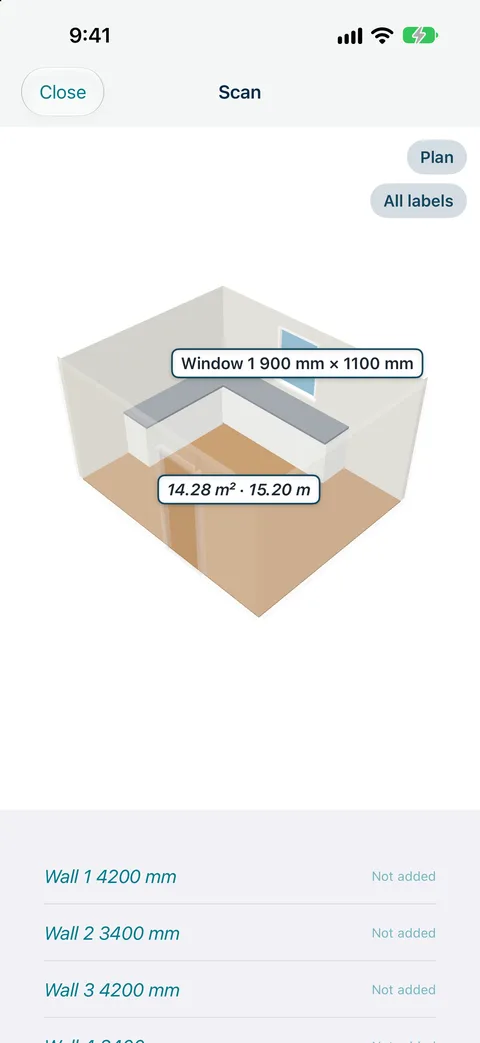
  3. Review the 2D plan and 3D view, floor area in m² and perimeter.
  4. Choose which sizes to keep. They save as "Needs checking". Measure the sizes you order from with a tape and mark them "Checked with tape".
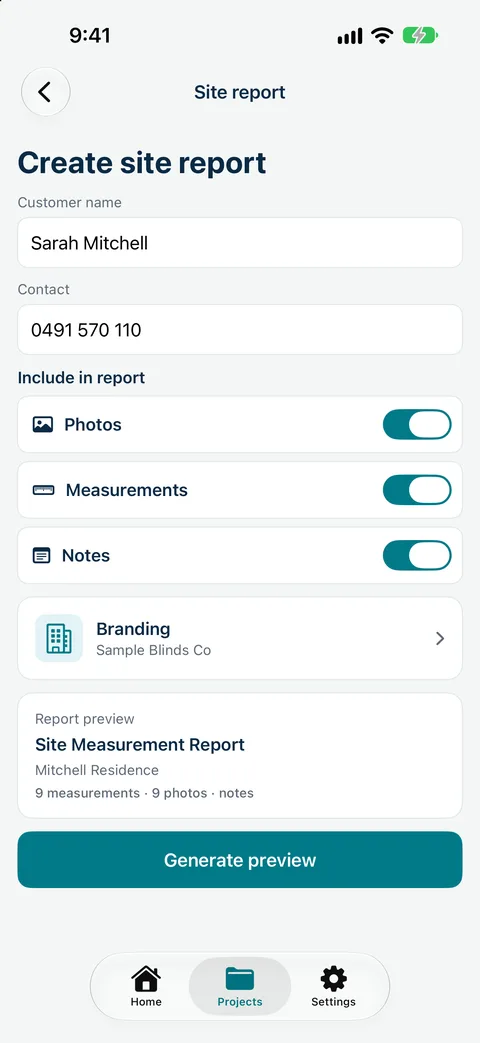
  5. Include the floor plan in your PDF measure report.
Measure Genie LiDAR room scan of a kitchen in 3D cut-away view

Record sizes by voice, mark up photos and send a branded measure report from site. Measure Genie is coming soon to iPhone and Android. Register your interest

Tips for a good scan

  • Good light, slow steady movement.
  • Open curtains and blinds so windows are captured.
  • Keep clutter out of the way of walls where you can.
Measure Genie Create site report screen with customer details, include toggles and branding

Be first to measure with Measure Genie

Measure Genie is coming soon to iPhone and Android. Register your interest and we will let you know when it is ready to try.

One measuring app for every trade.

Register your interest

Frequently asked
questions

Can I measure a room with my iPhone?

Yes. A LiDAR iPhone can scan a room; other iPhones can take AR estimates point to point.

Does my iPhone have LiDAR?

LiDAR is on iPhone 12 Pro and later Pro models.

Can I order blinds from a room scan?

No. A scan gives an approximate room overview and window positions. Measure each window with a tape before ordering.