 Systemic Studios
Is there an app for measuring windows for blinds?
Yes. Measure Genie is a measuring app for window furnishing installers, coming soon to iPhone and Android.

| Need on site | Why it matters | In Measure Genie |
|---|---|---|
| Jobs, rooms and windows | Sizes never float loose | Projects hold customer, site address and rooms |
| Capture while you hold the tape | You're holding a tape | Say the size; a confirm card appears before it saves |
| Quick estimates | Fast first look at a large job | AR Quick Measure: tap for width, then height (saved as "AR estimate") |
| Proof of what was measured | Fewer disputes, fewer remakes | Photo markup with dimension lines, arrows, text and numbered callouts |
| Confirmed vs estimated | Order only confirmed sizes | Each size records its source and whether it has been checked ("Needs checking", "Checked", "Checked with tape"); unchecked sizes show "est." in the report |
| Something to send | Looks professional, speeds approval | Branded PDF measure report with your logo, ABN and contact details |
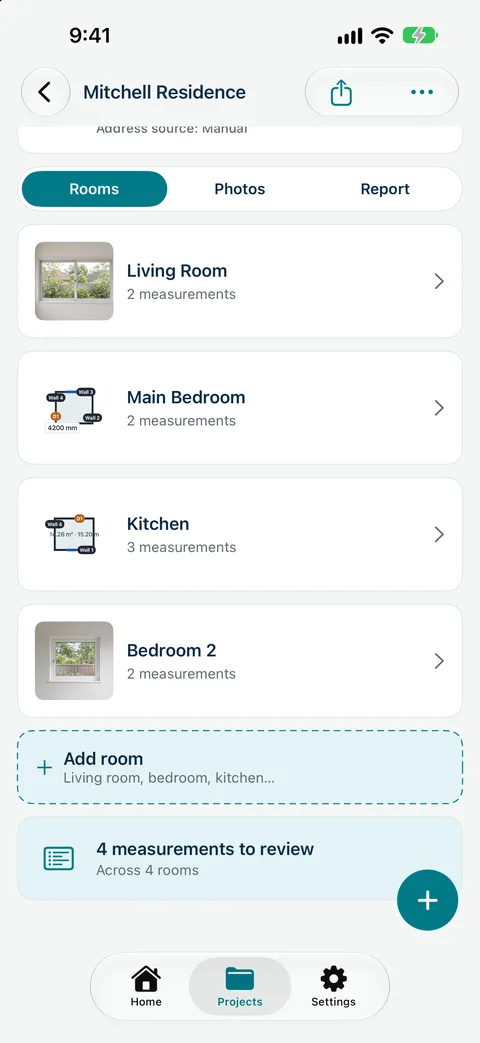
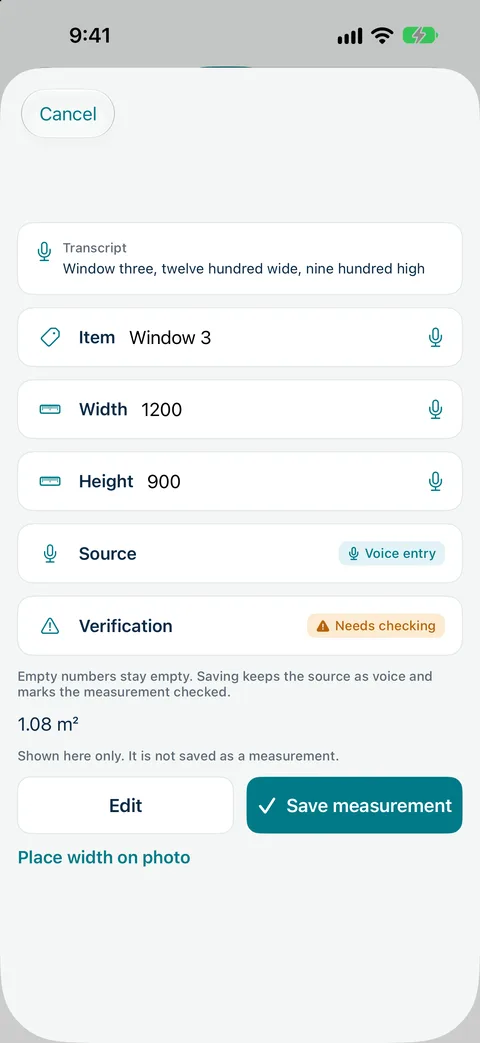
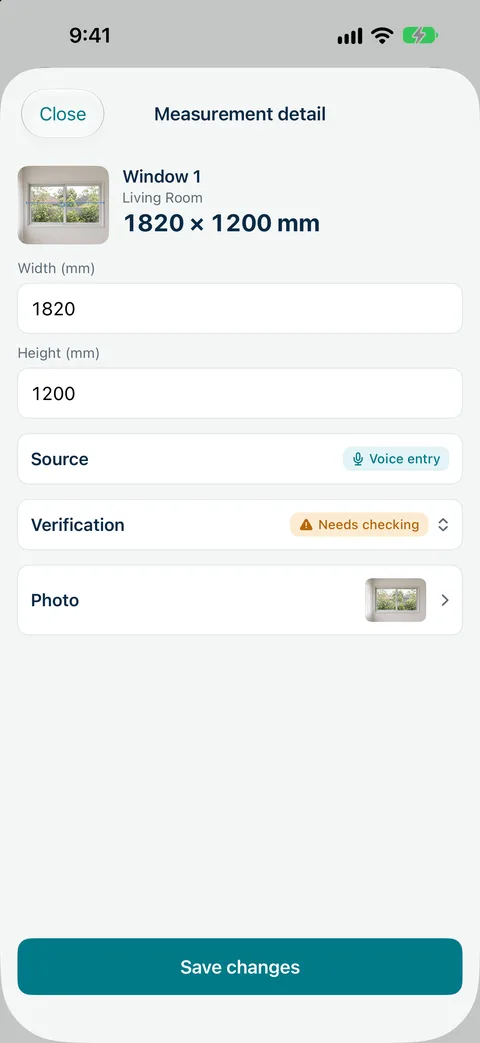
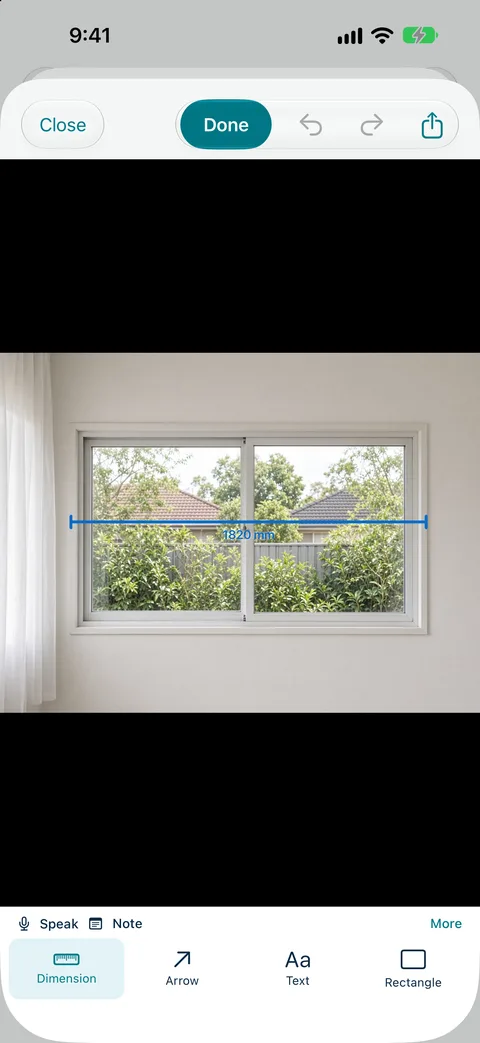
Record sizes by voice, mark up photos and send a branded measure report from site. Measure Genie is coming soon to iPhone and Android. Register your interest
Measure Genie produces measure reports, not quotes or invoices. Use your report to prepare your quote in the system you already use.
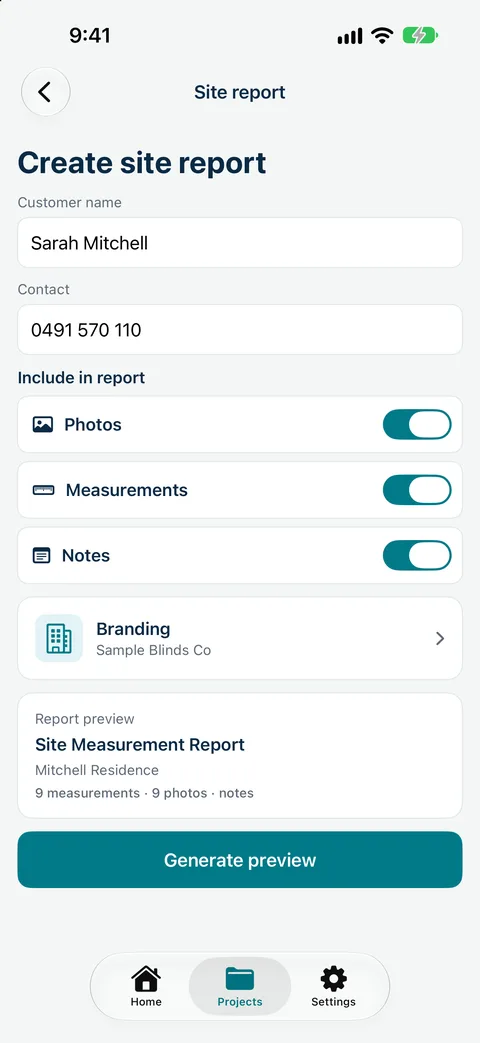
Measure Genie is coming soon to iPhone and Android. Register your interest and we will let you know when it is ready to try.
One measuring app for every trade.
Yes. Measure Genie is a measuring app for window furnishing installers, coming soon to iPhone and Android.
iPhone AR can give quick estimates. For made-to-measure blinds, confirm sizes with a tape; Measure Genie marks each size as needs checking or checked.
AR Quick Measure needs an ARKit-capable iPhone, and LiDAR improves tracking where present. Room scan needs an iPhone with LiDAR (iPhone 12 Pro and later Pro models).
Yes, as a branded PDF measure report or marked-up photos, through the iPhone share sheet.
No. It records and reports measurements.