 Systemic Studios


Can iPhone write NFC tags?
Yes. iPhone writes NFC tags using an app such as NFC Ninja, which needs iOS 17 on iPhone XS, XR or later, or iPhone SE (2nd generation) or later. Keep the app open while you write.
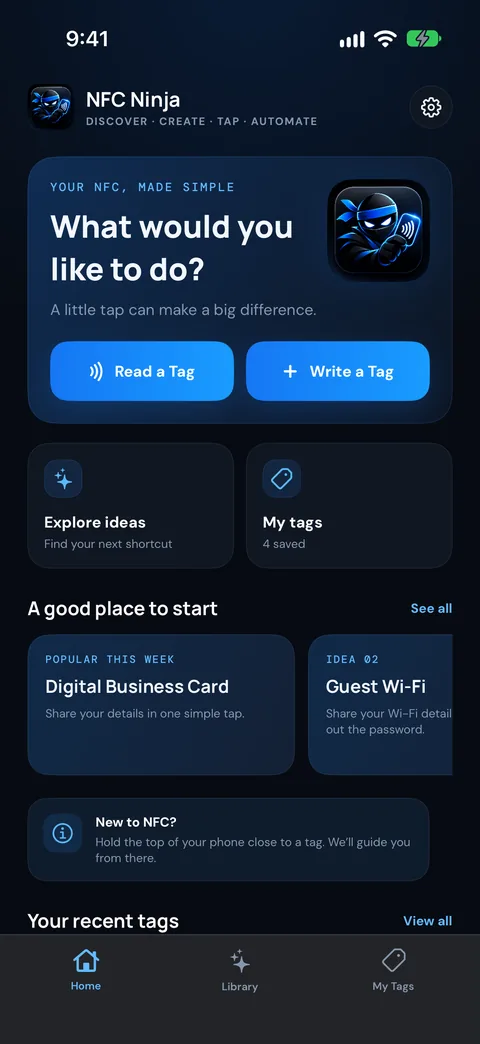
NFC Ninja is coming soon to iPhone and Android. These steps follow the current app design.
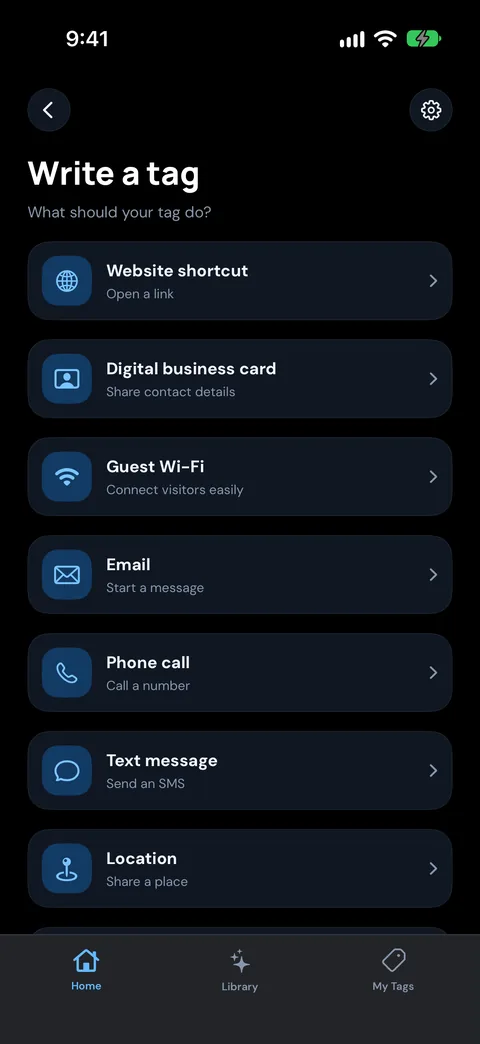
Open NFC Ninja and either:
Tip: for tags that other people will tap, a web link is the most dependable choice. iPhone XS and later can open a link from a tag without opening an app first.
Making a business card? See Make an NFC business card people save in one tap.
Need ideas? See NFC tags for business.
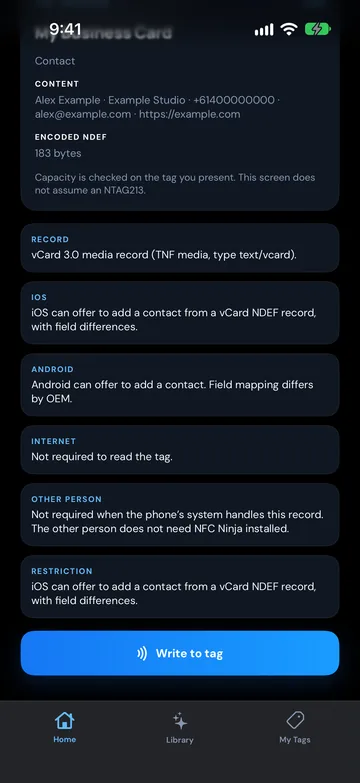
Enter the link, contact details or message, then tap Preview tag. This is the last look before anything is written, so check spelling and links now.
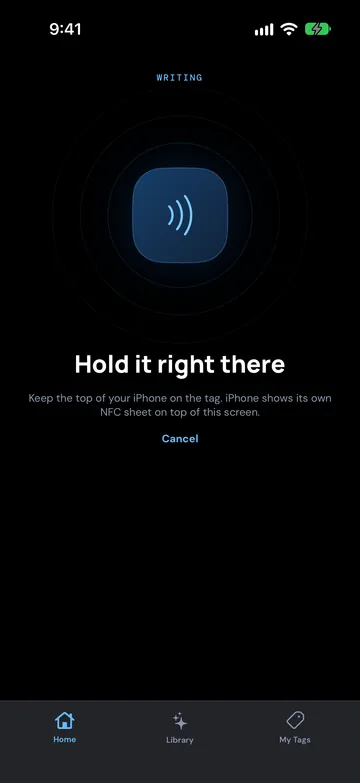
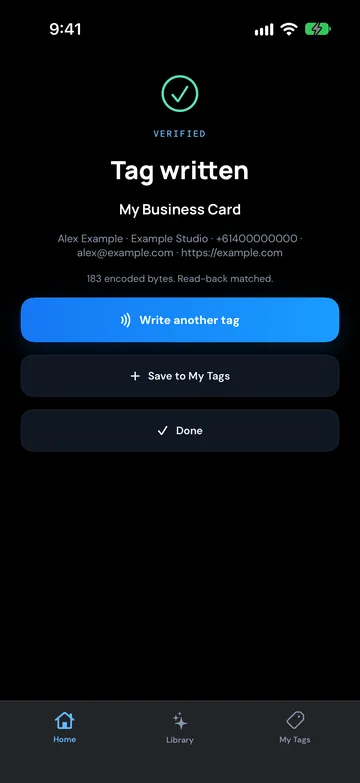
After writing, NFC Ninja shows Checking the tag while it reads the tag back and compares it with what you asked it to write. It only shows Tag written, marked VERIFIED, when the two match, so you're not guessing whether the tag is right before you stick it on the counter.
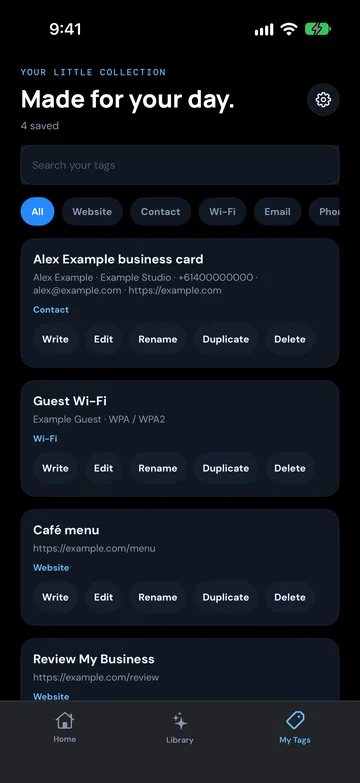
On Tag written, tap Write another tag to do the next one, or Done to finish. If the setup isn't saved yet, tap Save to My Tags first. Saved setups live in the My Tags tab, where you can rename, duplicate, edit or rewrite them. Recent scans and writes, including failures, are in your history.
To change a tag, open the saved setup in the My Tags tab, edit it and write it again. If the tag already has something on it, NFC Ninja asks Overwrite this tag? before replacing it. NFC Ninja never locks a tag, so tags you write with it stay rewritable.
iPhone can't join a Wi-Fi network from an NFC tag. NFC Ninja can still write a Wi-Fi tag, and Android phones can join the network from it, but iPhone users will need the password or a QR code. If you're setting up guest Wi-Fi, put a printed password or QR code next to the tag.
Want to use a tag to start something on your iPhone, such as a routine? That's done with Apple's Shortcuts app, which can run a personal automation when your iPhone scans a tag. That's an iPhone feature, separate from NFC Ninja.
Pick an idea, build the tag in a few taps, write it, and see it verified. No account needed.
Yes. iPhone writes NFC tags using an app such as NFC Ninja, which needs iOS 17 on iPhone XS, XR or later, or iPhone SE (2nd generation) or later. Keep the app open while you write.
At the top edge of the phone. Hold the top of your iPhone flat against the tag when reading or writing.
You can write a Wi-Fi tag, but iPhone can't join Wi-Fi from an NFC tag. Android phones can. For iPhone guests, add a printed password or a QR code.
The usual causes are moving the phone before the write finishes, a thick or metal case, a tag stuck on metal, a tag that's already locked, or content that's too big for the tag. Fix the cause and write again.
Not for links. iPhone XS and later can read a link from a tag in the background while the phone is in use and show a notification to open it. To see the full contents and chip details of a tag, use NFC Ninja's Tag Reader.
NFC Ninja shows Checking the tag while it reads the tag back, then Tag written, marked VERIFIED, only when the contents match what you set up.